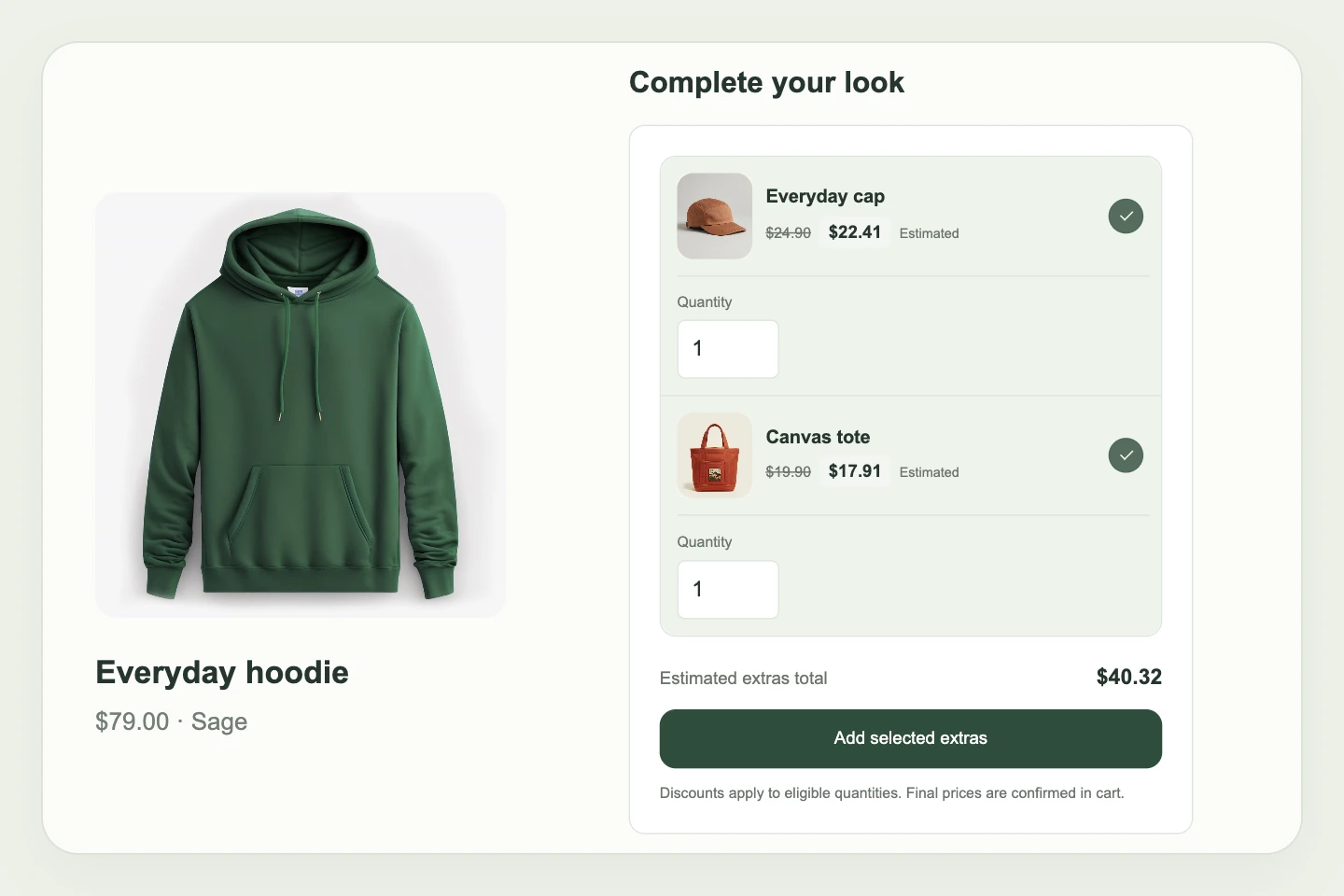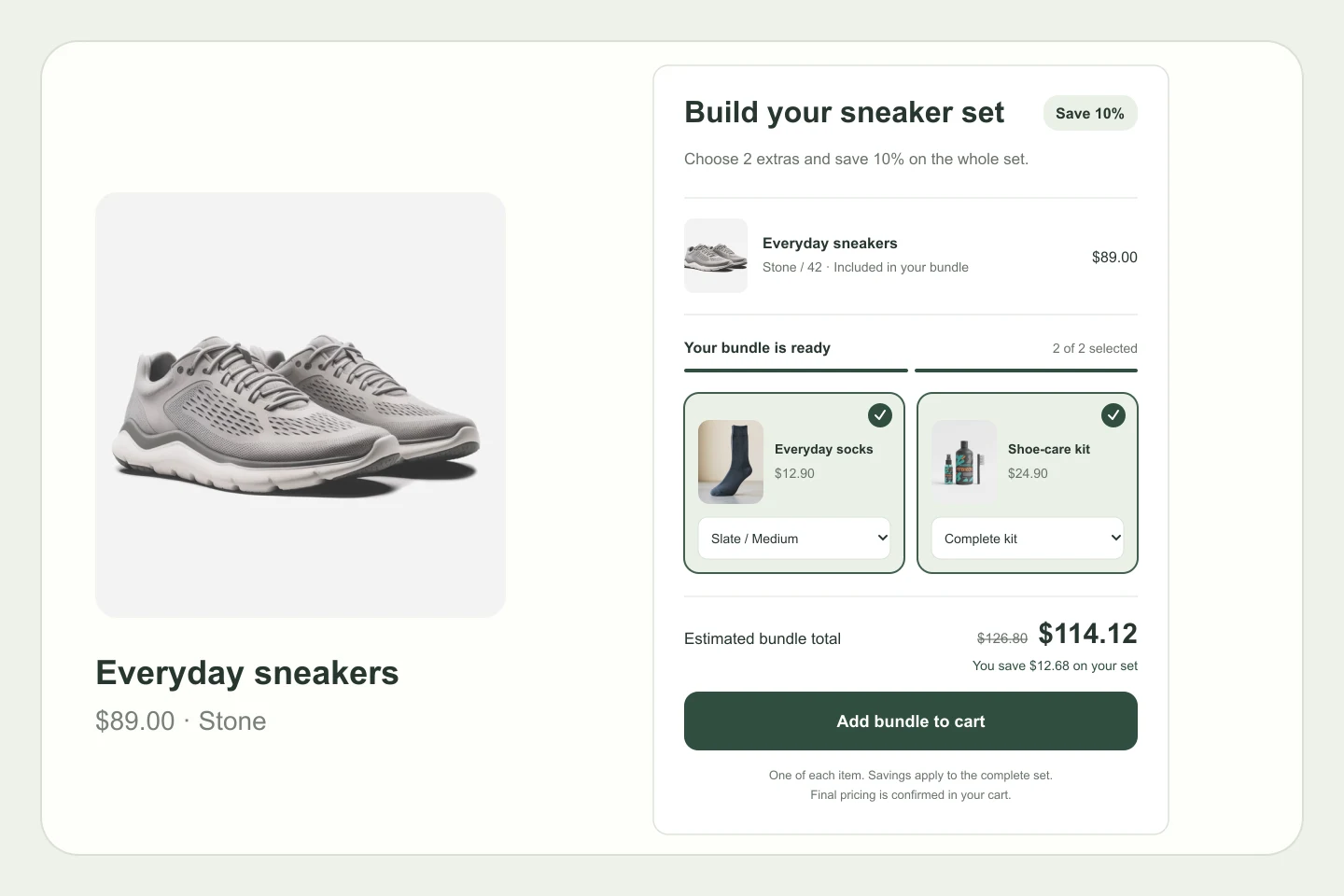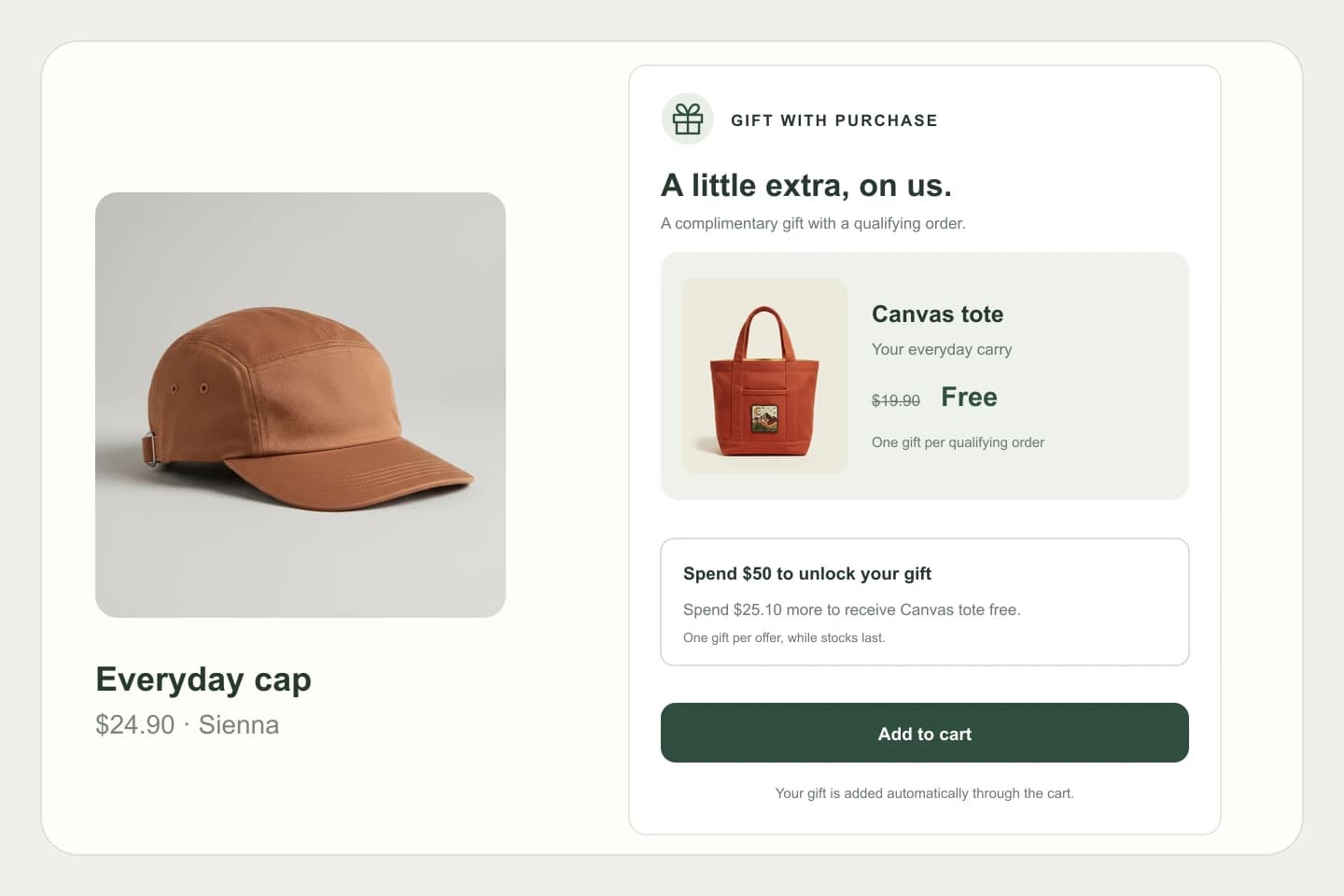
Recommend in the right moment
Choose up to three products to feature in the cart and set how many recommendations appear. Keep the extras focused and easy to browse.
Keep the momentum going after add to cart. Bring useful extras, a visible shipping goal, and a clear next step together in a cart that feels like your store.
Included in Grow & Full Access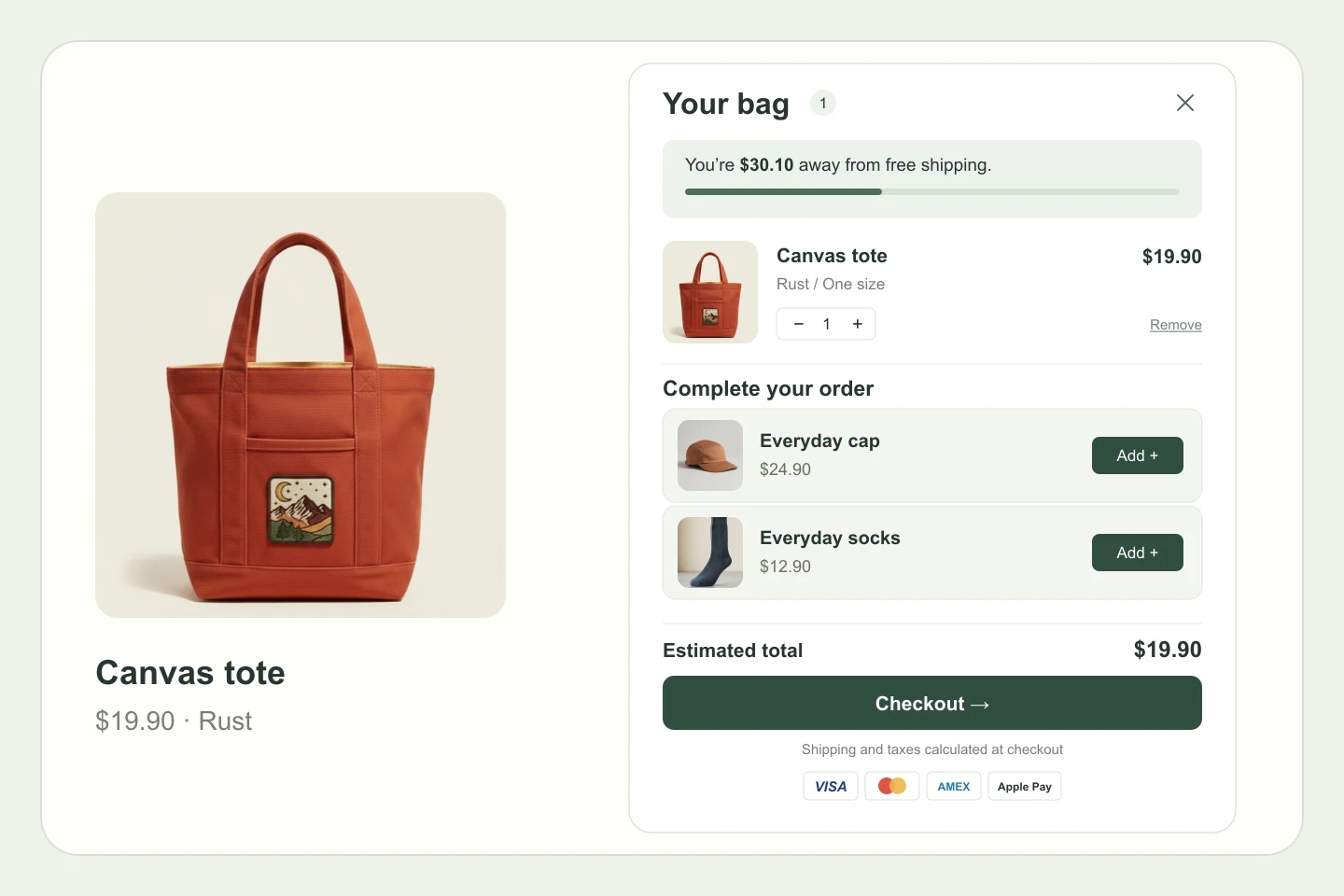
Make space for relevant extras without making shoppers lose sight of their order.
Choose up to three products to feature in the cart and set how many recommendations appear. Keep the extras focused and easy to browse.
Display progress toward a free-shipping threshold, with settings for currency and countries. Match the goal to your actual shipping offer.
Choose a drawer, wide, or sheet layout. Customize colors and copy, and decide whether to show order notes and payment icons.
Set it up in Pent Library. Make it yours in Shopify.
Select the Shopify theme to configure, then pick the cart layout that suits your storefront.
Choose recommendations, configure your shipping goal, and style the cart with your colors and copy.
Save the configuration and enable the cart embed in your theme. Check the cart on your storefront before launch.
The Pent cart is designed to become your theme’s default cart experience when enabled. Configure it for your selected theme and test the storefront before switching it on for customers.
No. It shows progress toward the threshold you configure. Set up the corresponding shipping rates in Shopify and make sure the cart’s threshold, currency, and country settings match.
Yes. Cart configurations are saved per theme, so you can choose the layout, recommendations, colors, and shipping goal for the theme you are working on.
Cart upsells are included in Grow and Full Access. Both plans also include product upsells, build your own bundle, and gift with purchase.
Four thoughtful tools. One familiar app.
Explore Pent Library. Activate upsells with Grow or Full Access.